
Subscription manager for iPhone
Know what renews next.
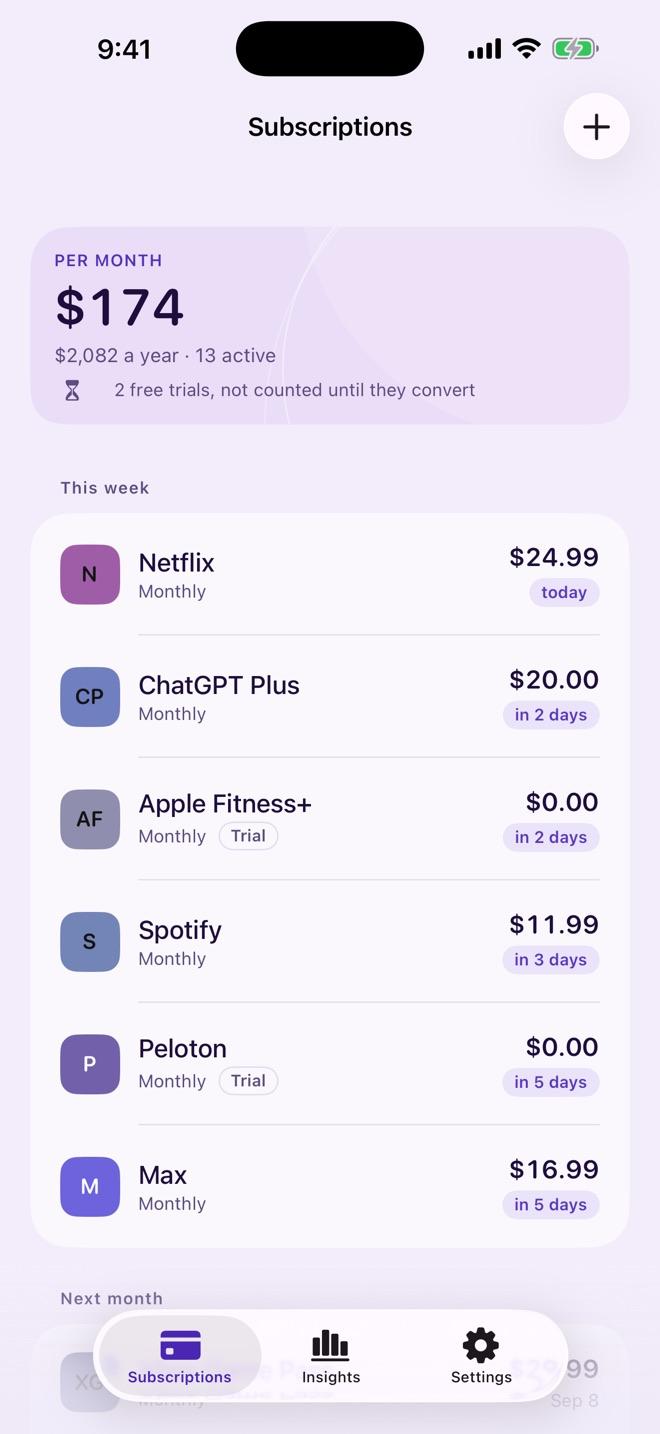
Renewell tells you what you pay for, what renews next, and what the whole lot costs you a year. It warns you before each charge and before free trials convert. No bank connection. No account. Nothing leaves your phone.
What Renewell does
One list, one total
Pick from 75 common services or type your own. Weekly to yearly or any number of days, turned into one monthly and one yearly figure.
Reminders before you pay
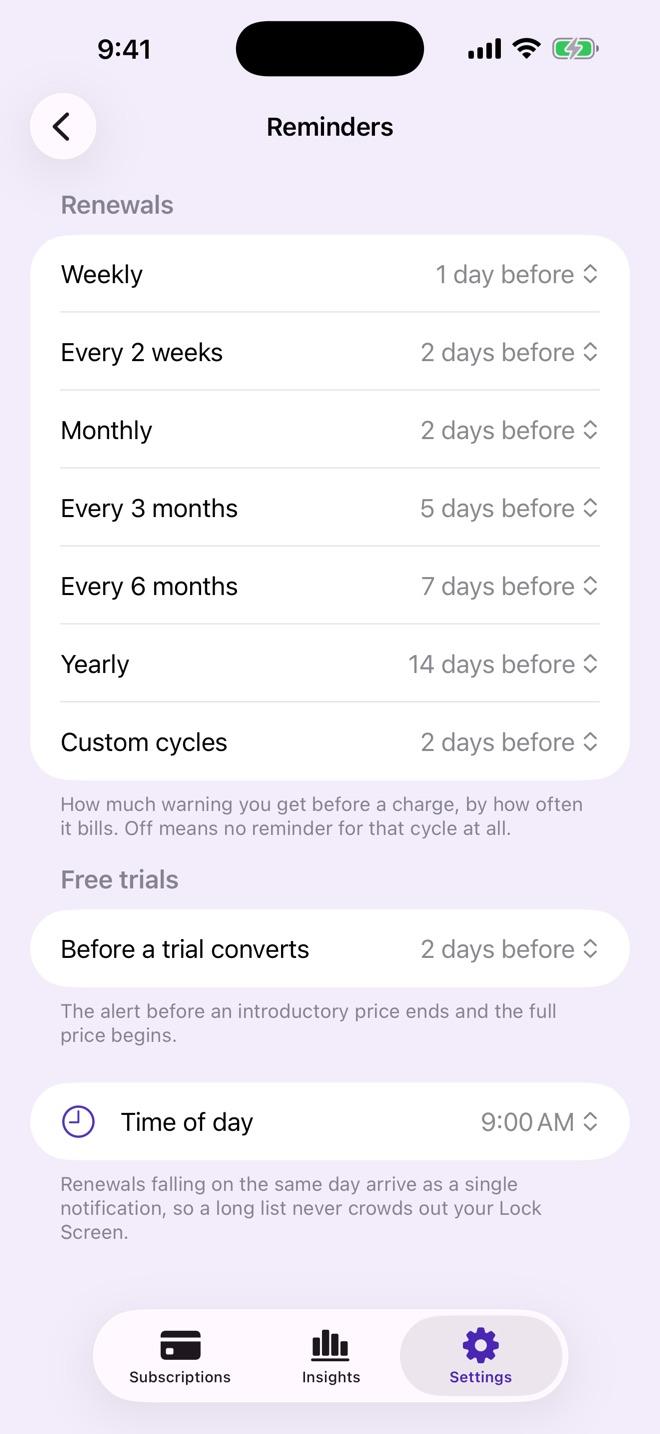
14 days before a yearly renewal, 2 before a monthly one, or whatever you choose. Several on one day arrive as one notification.
Free trial alerts
Record when a trial ends and what it becomes. Renewell warns you before the first real charge.
Price rises, caught
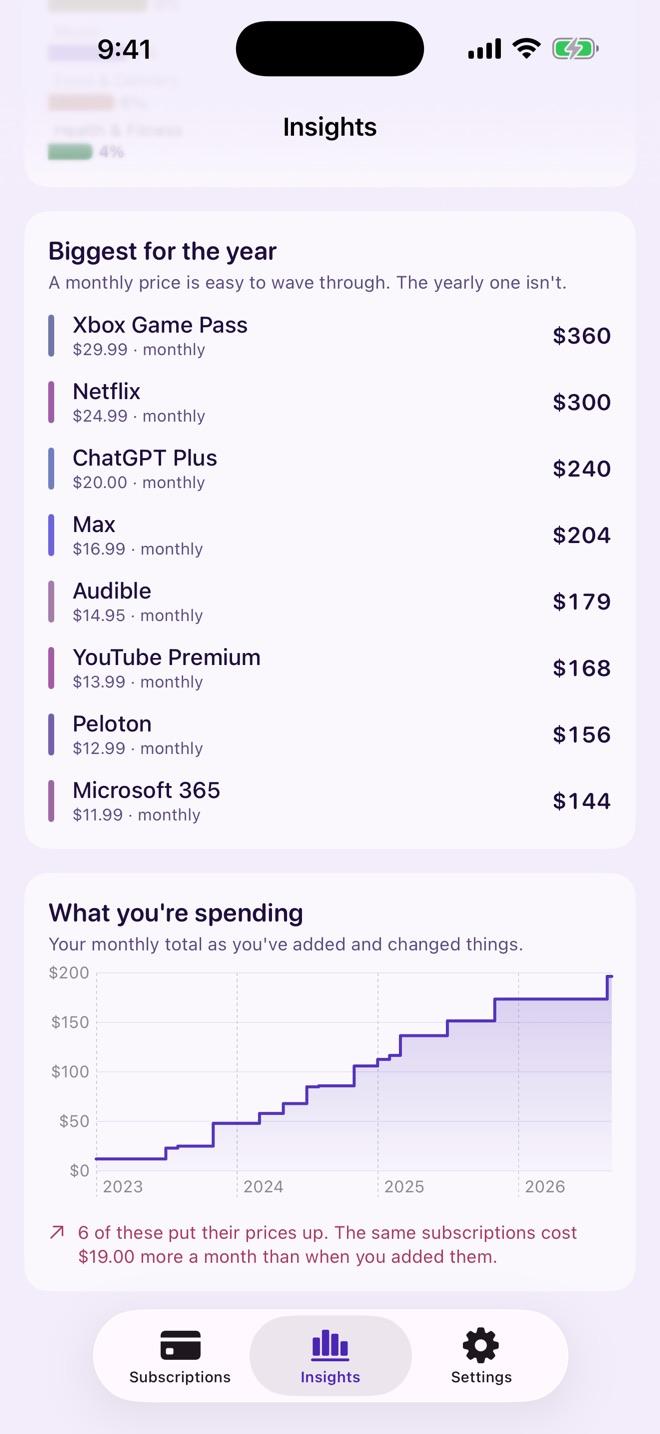
Log a price change and see what you pay now against what you signed up for.
Insights
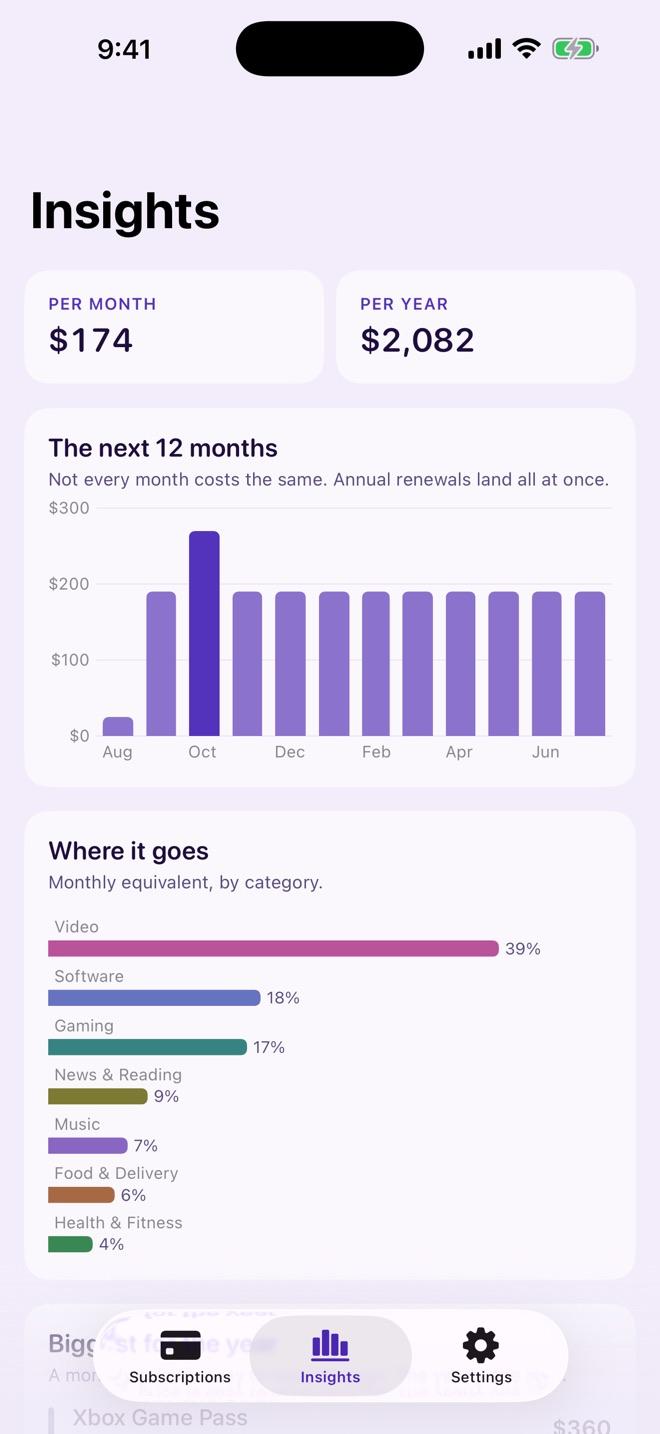
A 12-month forecast, spending by category, and your biggest subscriptions for the year, ranked.
Private by design
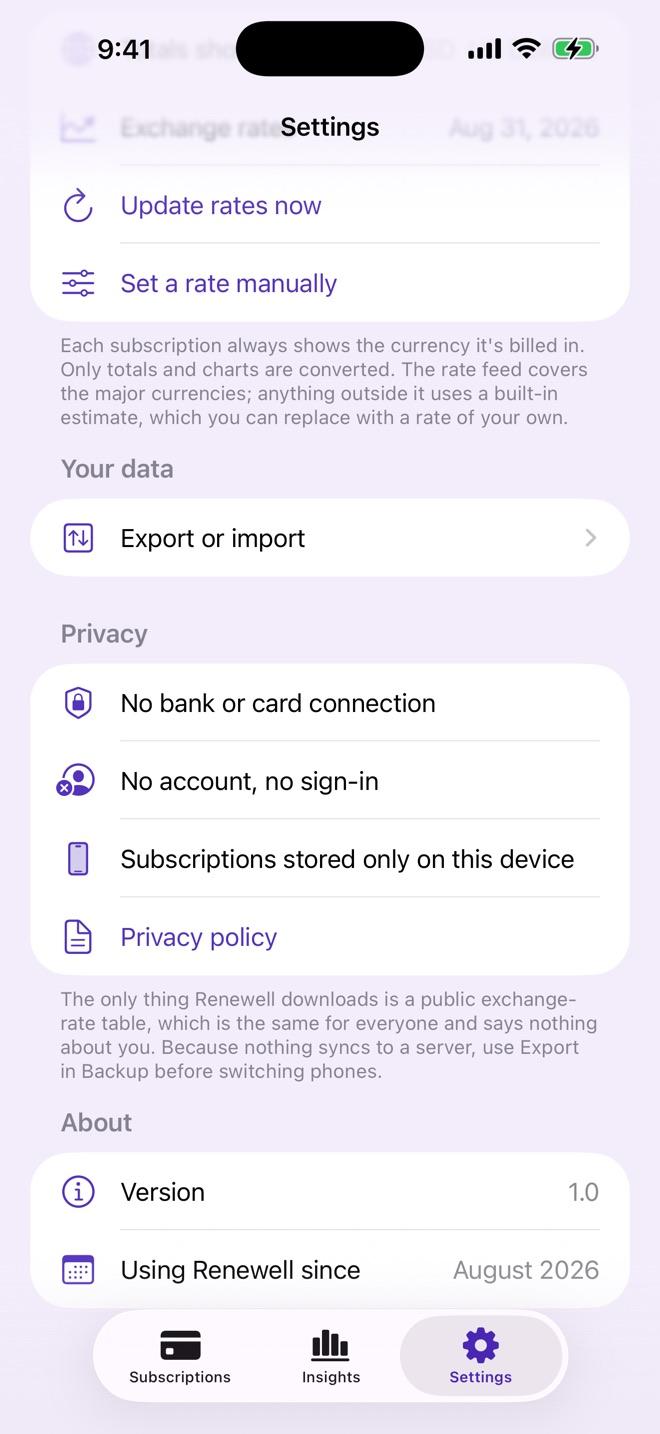
No bank or card connection, no account, no ads, no tracking. Your list stays on your phone, with export and import.
How to cancel a subscription
Step-by-step guides, checked against each service's own help pages.
- Cancel Netflix
- Cancel Hulu
- Cancel Paramount+
- Cancel Disney+
- Cancel Adobe Creative Cloud
- Cancel Spotify Premium
- Cancel Audible
- Cancel Crunchyroll
- Cancel Kindle Unlimited
- Cancel LinkedIn Premium
- Cancel Canva Pro
- Cancel Peacock
- Cancel PlayStation Plus
- Cancel Xbox Game Pass
- Cancel YouTube Premium
- Cancel HelloFresh
- Cancel NOW (NOW TV)
- Cancel Amazon Prime
- Cancel ChatGPT Plus
- Cancel Microsoft 365
More guides and tools
- How to cancel a subscriptionHow to cancel any subscription: find out who bills you (the service, Apple, Google Play or a partner), cancel in the right place, and check that it stopped.
- How to cancel subscriptions on iPhoneHow to cancel a subscription on iPhone or iPad from Settings or the App Store, how to tell if it is already cancelled, and what to do if it isn't listed.
- How to cancel a Google Play subscriptionHow to cancel a subscription on Google Play from the Play Store app or a computer, how to pause instead, and why uninstalling an app doesn't cancel it.
- How to cancel a free trial before you're chargedHow to cancel a free trial so you are not charged, when to cancel (some services end the trial immediately), and how to get reminded before it converts.
- How to cancel a Direct DebitHow to cancel a Direct Debit in your banking app, online or by phone, why you should also tell the company, and how the Direct Debit Guarantee protects you.
- Bill tracker and subscription cost calculatorAdd your subscriptions and bills to see what they cost per month and per year. A free online bill tracker you can print or save as a PDF.
Questions
Is Renewell free?
Yes. Renewell is free, with no in-app purchases and no subscription.
Does Renewell connect to my bank?
No. You type in what you pay. Renewell never asks for bank or card details.
Does Renewell cancel subscriptions for me?
No. It tracks your subscriptions and reminds you before each renewal, so you can cancel in time. Our guides show how to cancel common services.
Does it work with different currencies?
Yes. Each subscription keeps the currency it is billed in. Only the totals are converted, using a public exchange-rate table, or a rate you set.
Is Renewell on Android?
Not at the moment. Renewell is available for iPhone and iPad.